xkcd+
Squid InkComics
0.00.00 Reviews
- Version
- 1.1
- Installs
- 10.00K
- Age Rating
- Everyone
Screenshots
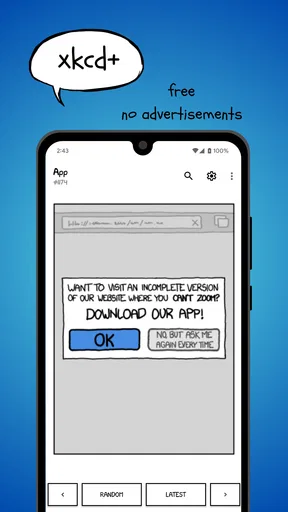
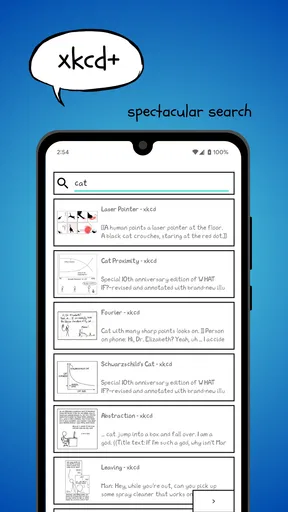
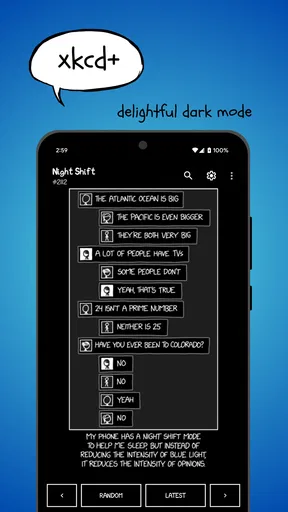
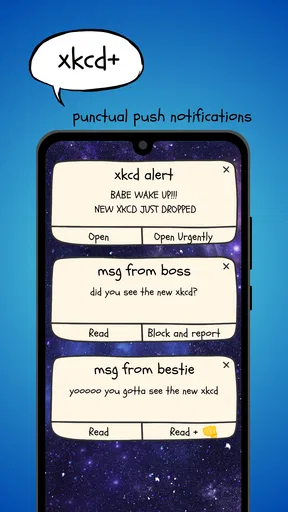
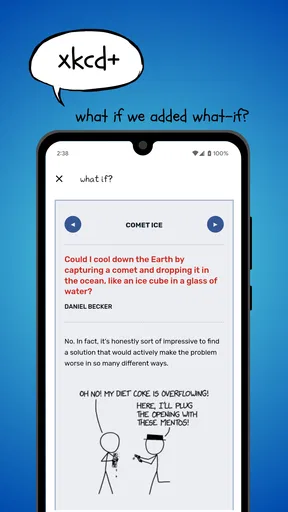
Our Review of xkcd+
 Analysis by Appyee
I approached xkcd+ as a focused comics reader rather than as another general-purpose entertainment app. That distinction matters. Its entire appeal is tied to the xkcd reading experience, so the right question is not whether it can replace every comic platform, but whether it makes returning to this particular webcomic easier and more pleasant. After spending time with it, I found a small, direct app that suits readers who want less browsing friction and more time with the strips themselves.
The app is free, belongs to the Comics category, and comes from Squid Ink. It is suitable for Everyone, runs on Android 9 or later, and its current version is 1.1. Those details make it approachable for a wide range of phones, although the modest install base of over ten thousand suggests that it remains a niche tool rather than a mainstream comics destination. I see that as useful context: this is a specialized choice for xkcd readers, not a broad catalog competing for every kind of comic fan.
How I decided whether xkcd+ was worth keeping
My first test was simple: could I open the app with a specific reading intention and get to the strip without feeling pulled through unrelated content? With a general browser, xkcd is only one tab among many. With a large comics platform, the experience is usually organized around discovery, subscriptions, recommendations, or a broad library. xkcd+ takes the opposite approach. Its value comes from narrowing the experience.
That narrow focus is also the main decision criterion. If you read xkcd occasionally and already have a comfortable browser routine, installing a dedicated reader may feel unnecessary. If you return often, however, a purpose-built app can reduce the small interruptions that make a casual reading habit less enjoyable. I found the difference most noticeable when I wanted to read during a short break rather than sit down for a longer browsing session.
I also considered how well the app fits different reading styles. Some people want to follow new strips as they appear. Others like revisiting older comics, checking a joke they remember, or sharing a strip after discussing it with a friend. A focused reader is most convincing when it helps with those repeated behaviors, not merely when it displays a single comic attractively.
One practical test is to ask what you expect from the word “reader.” If you want a clean place dedicated to xkcd, this app is easy to understand. If you expect a full comic library, personalized recommendations, creator discovery, or a social feed, the narrow scope becomes a limitation immediately. The best reason to install it is repeated xkcd reading, not general comic discovery.
A focused screen changes the rhythm of reading
What I liked most was the absence of a complicated learning curve. An app built around one comic does not need the same mental map as a multi-series platform. I could treat it as a small reading destination: open it, settle into the strip, and leave when I was done. That simplicity is particularly welcome on a phone, where switching between browser tabs and pages can make a quick reading session feel oddly busy.
The trade-off is that simplicity can leave less room for customization and exploration. A broad platform may be better at helping you discover a new artist or manage several subscriptions. Here, the focused identity is the feature, but it also defines the ceiling. I would not choose this as my only comics app if my reading list covered many unrelated series.
Everyday use: the five-minute reading break
My most realistic use case was a short break between tasks. I wanted something lighter than opening a social network and more intentional than scrolling through a browser feed. A dedicated xkcd reader fits that moment well because the subject is already familiar. I was not deciding what to search for or which series to sample; I was simply checking in with a comic I already wanted to read.
That workflow also works before bed, during a commute when the phone is already in hand, or while waiting for an appointment. The app makes sense for readers who prefer a small, bounded activity. It does not demand the commitment of a long graphic novel, and it avoids the endless-scroll feeling that can make a quick break disappear.
A less obvious use is using the app as a conversation prompt. xkcd often rewards a second look, especially when a strip depends on technical language or an idea that is easy to miss on the first pass. I found it useful to pause rather than immediately move on, then return to a strip later when I wanted to explain why it was funny. A dedicated reader supports that habit better than a chaotic feed, where the next item tends to take over your attention.
Why the narrow scope is a genuine advantage
Many comic apps compete through volume. They offer multiple publishers, genres, creators, or formats, which is excellent when you are searching for something new. xkcd+ wins in a different category: deliberate access to one familiar comic world. That makes it feel closer to a reading tool than a content marketplace.
This distinction helps with attention. When I use a general comics service, I am often tempted to browse instead of read. Here, the app’s identity keeps the task clear. For someone who already knows that xkcd is the material they want, removing choice can be more useful than adding it.
There is also a small psychological benefit to having a dedicated place for a recurring interest. A browser bookmark can be perfectly functional, but an app feels more like a personal reading shelf. That does not make the comics themselves different, yet it can make the habit easier to maintain. I would describe this as a convenience advantage rather than a dramatic technical breakthrough.
Where the usual alternatives fit better
The first alternative is simply using a mobile browser. That is the sensible choice for an occasional reader who does not want another app installed. A browser keeps everything in one place and is more flexible when you want to move from xkcd to other websites immediately. If your visits are infrequent, the dedicated experience may not save enough effort to matter.
A general comics platform is a better match for someone who reads across several creators or wants discovery built into the experience. Those services are designed for variety, while xkcd+ is designed around commitment to one subject. I would choose the broader option for a mixed reading list and this app for a focused one.
There is a third category: readers who prefer a feed or notification-centered routine. They may want all their reading updates gathered together, rather than opening a separate destination for one comic. xkcd+ is less compelling in that situation because its strength is intentional focus, not being a universal reading dashboard. Choosing it means accepting a more separated workflow.
For accessibility and reading comfort, the best option depends on what your existing browser or comics service already provides. A reader who relies heavily on a particular text-size routine, screen arrangement, or cross-service workflow should test whether a dedicated app feels more comfortable before making it the main way to read. I would not switch purely because an app is specialized; it needs to improve your personal routine.
Small habits that make the app more useful
I recommend deciding in advance whether you want to read only the newest material or use the app as a place for revisiting. That choice changes how satisfying the experience feels. If you open it expecting a large archive-management system, a focused reader may seem limited. If you treat it as a quick, repeatable xkcd stop, its simplicity becomes easier to appreciate.
Another useful habit is to slow down on strips that look immediately understandable. The compact format encourages quick swiping or closing, but xkcd’s humor can depend on the relationship between the setup, labels, and final panel. Giving yourself a moment to inspect the whole composition makes the app feel more like reading than checking a headline.
I also found it helpful to separate reading from sharing. Read the strip first, decide whether it is worth discussing, and only then move into your normal sharing workflow. That keeps the app’s main purpose intact instead of turning it into another place to collect links or chase reactions. For me, this made short sessions calmer and more intentional.
What may cause friction
The biggest limitation is not a flaw in presentation; it is the app’s specialization. If your interests change from day to day, you may quickly want features that belong to a broader comics service. The app cannot be judged as a complete replacement for every way people consume comics. It is better understood as a dedicated companion for one established reading habit.
There is also a switching cost, even when the app is free. You have to install it, decide whether it deserves a place on your home screen, and remember to use it instead of the browser or an existing feed. That cost is tiny for a regular xkcd reader, but it is real for someone who checks the comic only once in a while. The more established your current routine is, the more noticeable that extra decision becomes.
Version 1.1 also gives the app a relatively early-stage feel in my overall assessment. I do not see that as a reason to dismiss it, especially because the concept is straightforward, but it does make me value reliability and clarity over a long list of ambitious extras. A simple reader should be judged by whether it gets the basics right consistently, not by how many unrelated tools it tries to add.
Because the app is free, the decision is mainly about attention and convenience rather than purchase risk. That is good news for curious readers: trying it does not require committing money. Still, free does not automatically mean useful. If your browser already gives you a smooth xkcd routine, the app needs to earn its place by making repeated reading feel better.
Who should install it, and who should skip it
I would recommend xkcd+ to a reader who checks xkcd regularly, prefers a dedicated app over a browser tab, and enjoys a quiet, single-purpose reading experience. It is also a good fit for someone who wants a small activity during short breaks without opening a broad entertainment feed. The Everyone content rating makes it suitable for a wide audience, including households looking for a straightforward comics app.
I would skip it if your main goal is discovering many different comics, managing several series in one place, or keeping every reading source inside one feed. A browser is likely enough for occasional visits, while a general comics service may serve a wider reading habit better. I would also hesitate if adding a separate app feels like clutter and your current method already works without annoyance.
The developer, Squid Ink, has chosen a clear direction rather than trying to turn this into a universal comics platform. That focus is reassuring because the app knows what it is for. At the same time, it means your satisfaction will depend heavily on how strongly xkcd fits into your existing interests. The narrower your need, the more convincing the app becomes.
My recommendation after weighing the trade-offs
For me, xkcd+ succeeds as a decision-specific app: it is worth choosing when the question is “What is the easiest dedicated way for me to read xkcd?” It is not the right answer to “Which app should organize all my comics?” That distinction prevents disappointment and makes its strengths easier to see.
I like the free entry point, the accessible Android requirement, and the uncluttered idea behind the product. The app turns a familiar webcomic into a more intentional phone habit, which is useful when you want a short reading session rather than a large entertainment catalog. Its strongest advantage is not a flashy extra; it is the reduction of distance between opening the app and reading what you came for.
My final advice is to install it if xkcd is already part of your routine and judge it by repeated use over several short sessions. Notice whether you reach for it naturally, whether it feels more comfortable than your browser, and whether the focused scope is refreshing or restrictive. If those answers are positive, xkcd+ is a sensible free companion for regular xkcd readers. If not, staying with your browser or choosing a broader comics platform is the more practical decision.
In short, I would recommend it to the right audience without pretending it is universal. This is a small, specialized app from Squid Ink that earns consideration through focus. For a dedicated xkcd reader, that can be exactly enough; for everyone else, the usual alternatives may remain more flexible.
Verdict
Strengths of xkcd+
- Clean, lightweight interface for browsing xkcd comics
- Includes searchable access to a large comic archive
- Convenient offline reading for saved or downloaded comics
- Supports sharing comics through standard device options
- Useful explanations help clarify references and hidden jokes
Limitations of xkcd+
- Comic updates may depend on the app’s refresh schedule
- Some features can feel limited compared with the official website
- Older devices may experience occasional loading or sync delays
- Not every comic’s humor will appeal to all readers
- Third-party app support and maintenance may vary over time
Similar Picks in This Category
View All
WEBTOON: Manga, Comics, Manhwa
NAVER WEBTOON4.6

MangaToon: Comic & Manga
MangaToon4.3

네이버 웹툰 - Naver Webtoon
NAVER WEBTOON4.3

Tapas – Comics and Novels
Tapas Entertainment Inc.4.2

Lezhin Comics - Daily Releases
LEZHIN ENTERTAINMENT3.3

WebComics - Webtoon & Manga
WEBCOMICS HOLDINGS HK LIMITED4.4
Frequently Asked Questions
What is xkcd+ and what can I use it for?
xkcd+ is an unofficial mobile app designed for browsing and enjoying Randall Munroe’s xkcd webcomics in a more convenient format. During testing, the app made it easy to view comic images, read their titles and explanations, and move between older and newer entries. It is mainly intended for fans who want a simple comic reader rather than a full social network or content-creation tool.
Does xkcd+ require an internet connection?
An internet connection is generally needed to download comics and load related information, especially when opening entries that have not been viewed before. Depending on the version and device, previously loaded comics may remain available temporarily for offline reading, but users should not assume that the entire archive is permanently stored on their phone. Wi-Fi is recommended if you plan to browse many comics or use image-heavy features.
Is xkcd+ the official xkcd application?
xkcd+ should be treated as a third-party or unofficial application unless its store listing clearly states otherwise. It presents xkcd content through a mobile-friendly interface, but it is not the same as visiting the official xkcd website. Before downloading, check the developer name, privacy policy, permissions, update history, and store reviews. This is especially important because unofficial apps can change independently of the original comic publisher.
Is xkcd+ free to download, and are there advertisements or in-app purchases?
The availability of free features, advertising, and optional purchases can depend on the platform and the specific version published in the app store. In our experience, users should review the current store listing before installing because monetization details may change with updates. Also check whether any premium option removes advertisements or unlocks additional conveniences, rather than assuming every feature is included at no cost.
Is xkcd+ safe to install on Android or iOS?
Downloading xkcd+ from the official Google Play Store or Apple App Store is the safest approach, since both platforms perform basic checks and provide information about the publisher and requested permissions. Even so, users should inspect the app’s privacy disclosures and avoid modified APK files or unofficial download pages. If the app requests access unrelated to comic reading, such as contacts or precise location, consider that a warning sign.
